
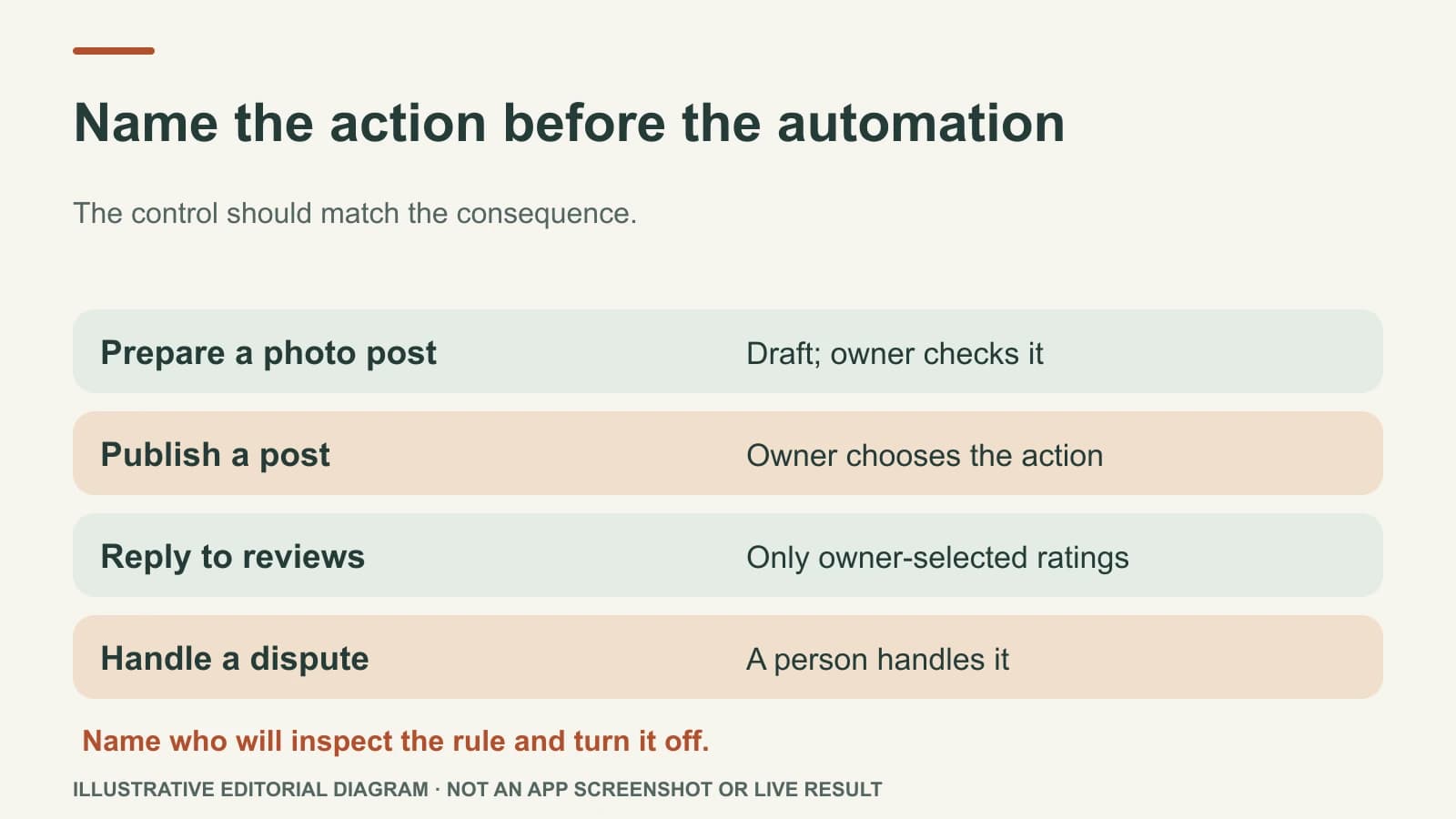
What tasks can AI automate for a small business? Fewer than the ads suggest, but more than most owners use. The trick is to stop thinking about “automating marketing” and look at one action at a time. Making a post from a photo, posting it, and replying to a review in public are three different decisions, and each deserves a different amount of trust.
Here’s a simple way to sort your jobs, a test to run before letting anything go out on its own, and what to do when something slips. For the bigger picture, start with AI for small business.
Sort your jobs into three colors
| What it means | Good examples | |
|---|---|---|
| Green: let it run | AI does it on a schedule or under your rules, and you check now and then | Weekly Google Maps and AI-answer checks; replies to happy reviews at the star ratings you pick; reminders before holidays |
| Yellow: AI drafts, you approve | AI does the work, nothing goes out until you say yes | Posts from photos; posts for a new service; last-minute offers; next month’s plan |
| Red: keep it human | AI can help you think, but a person decides and sends | Complaints, refunds and disputes; anything about health, legal matters or safety; private customer details; prices and promises you haven’t confirmed |
Most small businesses can move one or two jobs into green safely. The yellow pile is where AI saves the most time, because the draft is the slow part and the approval takes a minute.
The four-question test before anything runs on its own
Only move a job to green if you can answer all four:
| Question | A good answer | If you’re unsure |
|---|---|---|
| Can I say the rule in one sentence? | “Reply on its own to 4- and 5-star Google reviews.” | Keep it yellow. “Reply when it feels routine” isn’t a rule. |
| Are the facts behind it current? | Name, location, services and tone are checked. | Fix your saved details first. |
| Can I live with the odd mistake? | Even a 5-star review can hide a complaint, and I accept that risk. | Leave that rating out of the rule. |
| Who checks it, and can they switch it off? | “I read the week’s replies every Monday and can stop them in a tap.” | Keep it yellow until someone owns the check. |
Being able to switch a rule off later doesn’t undo a public reply that’s already out. That’s why the test comes first.
A worked example: review replies
Reviews are where most owners first let AI run, and the hidden risk is mixed reviews. Here’s a made-up five-star review: “Great haircut, but I was charged twice.” A rule that says “reply to all five-star reviews” will thank this person warmly and ignore the double charge.
So rehearse before you switch it on:
- Pull up the last 20 reviews you’ve had, across every star rating.
- Mark the ones you’d be happy to have answered without seeing the reply first.
- Mark the ones that mention money, a staff member, a complaint, or anything private.
- Choose your ratings based on what you found. One salon might pick 4 and 5 stars. Another might decide every review waits. Both are fine.
- Write down the date you decided and check again in a month.
When the rule is live, read the first week’s replies carefully. Look for wrong service names, the same wording again and again, a reply to a mixed review, and anything private. If one crosses a line, narrow or pause the rule, deal with the customer personally, and fix the saved details before switching it back on.
Posts and offers: draft fast, approve once
Posts are better in yellow. Prices change, an opening gets taken, a photo shows a client who didn’t agree to be shared. AI can make the whole post, picture included, in a minute; your job is the 30-second read before it goes out. AI marketing assistant for small business shows what to check.
How Mazuly sorts it
Mazuly is set up along these lines:
- Green, under your rules: automatic Google review replies for the star ratings you choose. Reviews about health, legal or safety issues always wait for you. By default, reviews that name a staff member wait too, the first three replies wait for your yes, and replies go out between 8 a.m. and 8 p.m. after an hour’s wait. Your weekly 7×7 Google Maps heatmap and your AI-answer checks run on their own each week.
- Yellow, waiting for your yes: every Instagram, Facebook and Google post, every offer and every monthly plan. Mazuly makes the post and posts it for you once you approve.
- Red, yours: anything held for you, and any conversation that belongs off the public page.
You can change which star ratings get automatic replies at any time, and pick “Hold complaints for me” in your review settings so angry reviews wait for you. For one review at a time, just tell Ask Mazuly in your own words: “Reply to my new Google review.”
For a week-long way to test any one of these jobs, use the 7-day AI marketing test.
Sources
Frequently asked questions
What can AI automate for me?
For a small business: weekly checks of where you show up, routine replies to happy reviews under your rules, first drafts of posts and offers, and turning one thing into another, like a photo into a post. Anything that makes a promise in your name should still wait for your yes.
What everyday tasks can AI automate?
The best everyday tasks are ones that repeat, have a clear rule and use facts that don’t change often: thanking reviewers, reminding you to set holiday hours, checking Google Maps or ChatGPT for your business each week, and drafting next month’s posts for you to approve.