
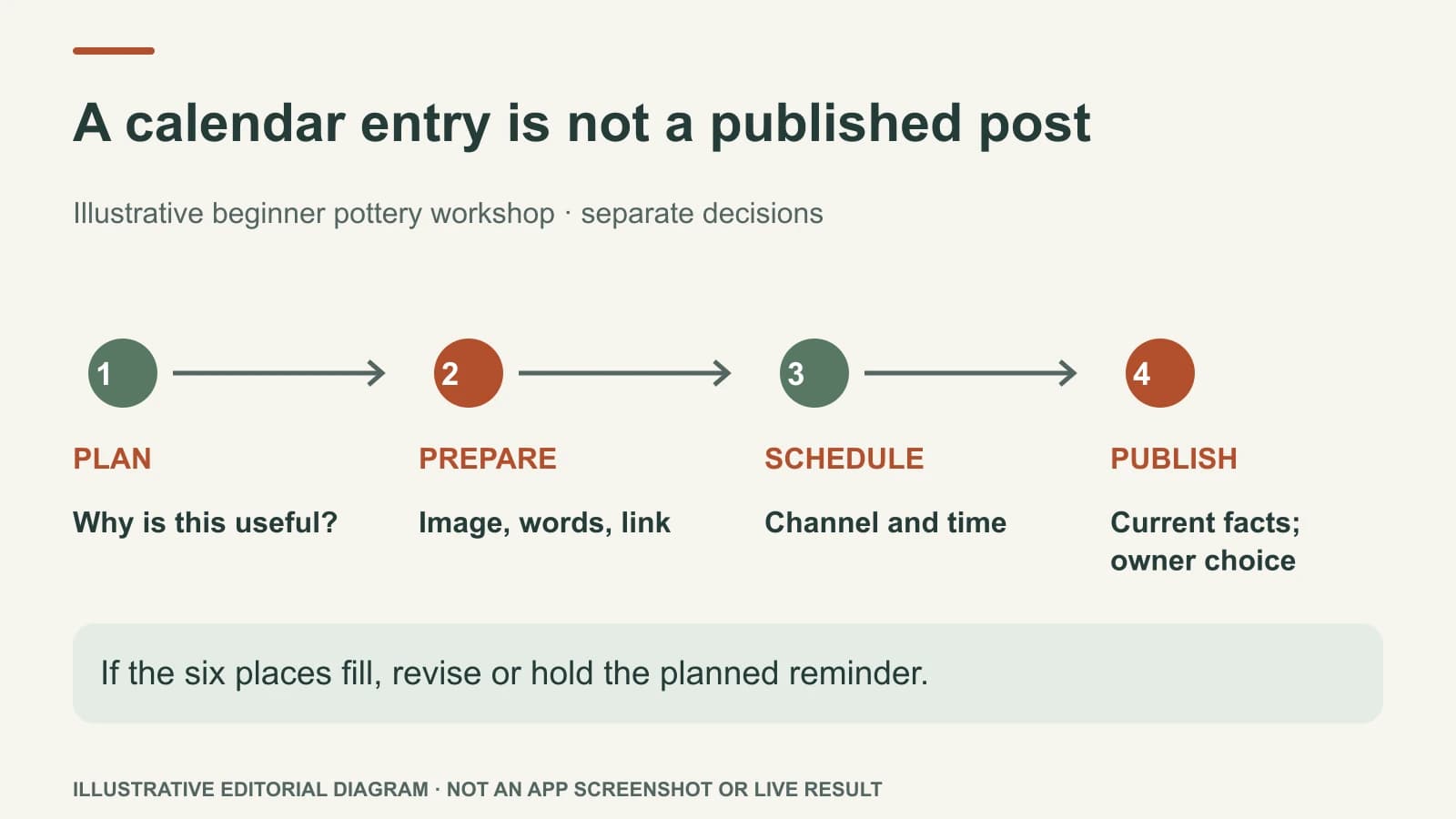
Planning decides what the business should say and why. Scheduling assigns an approved post to a channel and time. Publishing sends the finished work from Mazuly to the selected channel when the owner chooses that action or an approved schedule reaches its time. These are separate decisions. A calendar entry is not a published post.
That distinction matters to a busy owner: a polished draft can still have the wrong date, channel, or booking link. The last check is about the real-world promise, not just the spelling.
Follow one post from idea to action
Imagine an independent pottery studio hosting a Saturday beginner wheel workshop. This is an illustrative example. The owner confirms that the workshop starts at 10:30 a.m., costs $45 including materials, has six places, and customers reserve through the studio's current class page. Those are fictional inputs to the workflow, not an advertised real class.
Plan: The owner decides the customer job is to help a first-time visitor understand what the class includes and reserve a place. The post needs an approved studio photo showing the actual wheels, the Saturday time, verified price and the working class URL. It should not claim “walk-ins welcome” if places must be reserved. Mazuly's Social Planner can organize the idea with other monthly priorities; Brand Brain supplies the studio's saved voice, location and class details to the AI preparing the copy.
Prepare: A finished square post might carry the on-image line “Beginner wheel workshop · Sat 14 Nov · 10:30 a.m.” The Facebook caption can say: “Curious about pottery? Our beginner wheel workshop is Saturday 14 November at 10:30 a.m. Materials are included in the $45 class. There are six places; see the class page for current availability and book before coming.” Hashtags, if useful on the chosen channel, might be #BeginnerPottery #LocalWorkshop. The owner checks the real image, date, price, capacity, location, link and wording.
Schedule: The owner chooses Facebook for Thursday 12 November at 5 p.m. local time. That is a timing decision, not proof the post is already visible. If the class fills on Wednesday, the draft or schedule must be changed before the Thursday post goes out.
Publish: When the owner uses Mazuly's publishing action—or permits the planned schedule under the available settings—the finished post is sent from inside Mazuly to the selected connected channel.
A simple owner checklist
| Stage | Owner's question | What can still change? |
|---|---|---|
| Planning | Is this useful to a real customer? | The angle, source facts, and image |
| Preparation | Does the finished post match the business? | On-image words, caption, hashtags, link |
| Scheduling | Is this the right channel and time? | Channel, date, time, or whether to hold |
| Publishing | Are the facts still true right now? | Final use decision |
Some posts should be published promptly, such as a genuine same-day opening. Others belong in a monthly plan. Neither requires filling every blank date. Read how to change a calendar when the business changes before treating a schedule as fixed.
What to check when the business changes
An approved post can become wrong after it is scheduled. The owner may change a price, close early, run out of stock, or change a booking URL. Make the source page current, then revise or hold the post. A short final check is better than assuming that a draft approved last week still represents today.
The practical rule is: plan for relevance, schedule for timing, publish only with current facts. For a monthly example, see Social Planner. For a single image that needs a finished visual and caption, see the phone-photo workflow.