
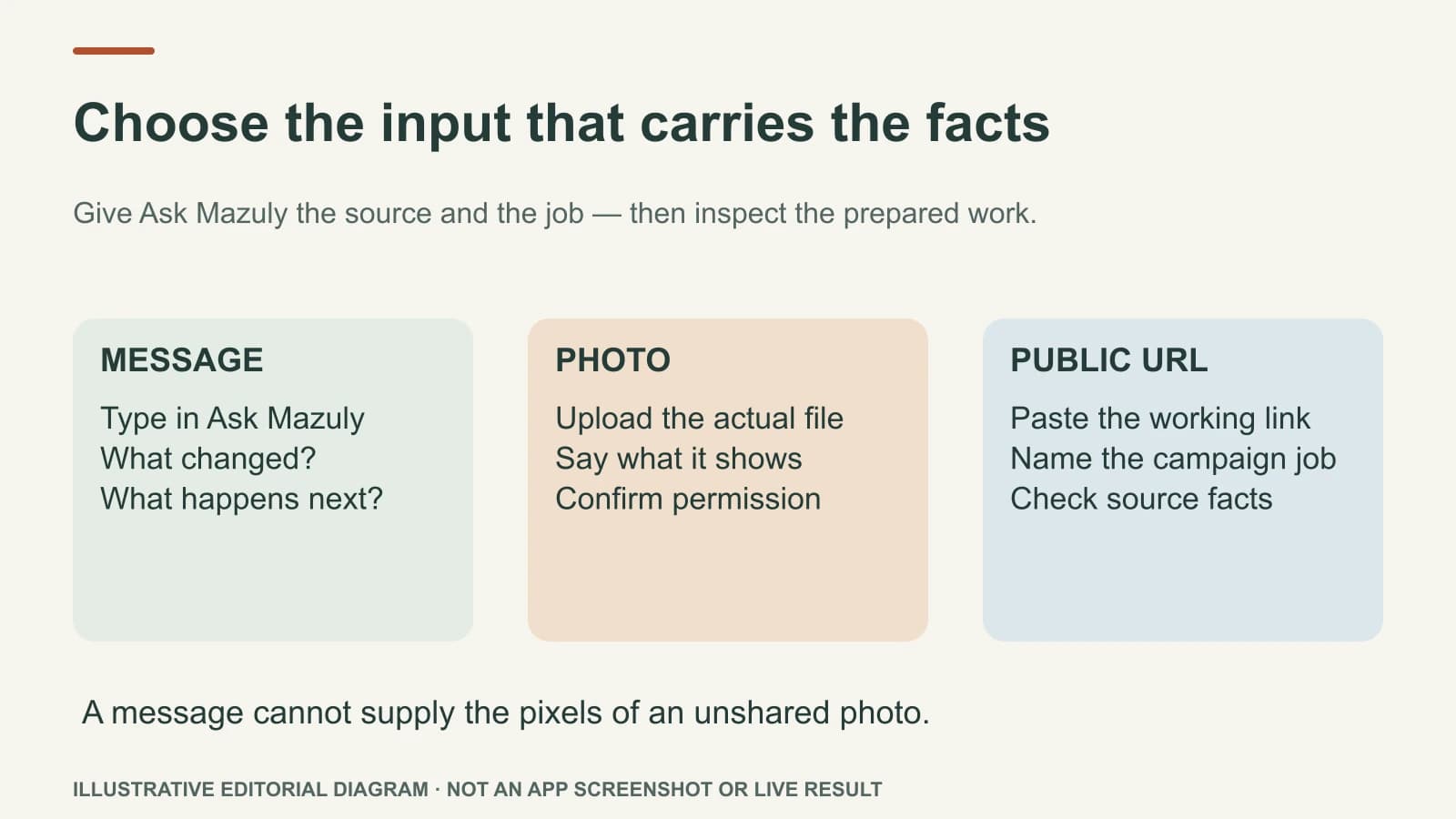
Use a message when the new fact is in your head, a photo when the work must show something real, and a public URL when the facts live on a service or offer page. Tell Ask Mazuly what you want done with that input. A photo is not attached just because you wrote “use this photo,” and a page is not read just because you described it without giving the link.
The easiest request format is: “Here is the source; here is what changed; here is the result I need.” The assistant should then prepare the relevant work and let you inspect it. Those are separate moments: input first, preparation second, output third.
Choose the input by the evidence needed
| Starting point | Best when | What the owner supplies | What to check in the result |
|---|---|---|---|
| Short message | An appointment opened, hours changed, or a new priority arose | Actual service, date/time, location and customer next step | No invented price, availability or promise |
| Uploaded photo | A real product, job or team moment should lead the post | The image file, permission to use it, and what it shows | The finished image still represents the real business; caption matches it |
| Public URL | A published service or offer page is the source for a campaign | The full working link and the intended campaign job | Every claim and offer term matches the page |
The three inputs are not interchangeable. A message cannot give Mazuly the pixels of an unshared image. A photo cannot tell it that a new service starts next Tuesday unless you say so. A URL can supply current page text, but the page itself might be outdated.
Example 1: type a message for a new opening
Illustrative business: a bicycle repair shop. The owner types: “A booked tune-up slot opened at 2 p.m. tomorrow at our Riverside workshop. Make a short Facebook post. Ask people to call for the remaining time.”
That message contains the work's essential facts. Mazuly can use the saved workshop context to draft a post and next step. It should not turn one opening into “last appointments are filling fast” or a discount the owner never offered. Before publishing, the owner verifies the slot is still open and the phone route works.
The message is enough here because the value is the new availability, not a particular visual. If the post also needs to show an actual repair, the owner must attach a suitable image.
Example 2: upload the photo you want people to see
The same shop takes an original photo of a cleaned and serviced commuter bike, with the owner's permission to show it. The request becomes: “Use the attached bike photo to make an Instagram post about our booked tune-ups. Keep the bike and workshop recognisable. Do not claim the bike is new.”
The owner must choose and upload the file. The finished work should show a visual that genuinely grows from that source, a short on-image line if appropriate, a caption that names the real service, and a clear enquiry route. If someone else's face, registration or private detail appears in the photo, crop or obtain permission before using it. Photo Studio has a different job from a text-only caption generator: the visual itself should become a stronger, truthful post.
Example 3: paste the actual page address
The owner has a public spring tune-up service page. An illustrative request is: “Use https://your-business.example/services/spring-tune-up to prepare five different social posts about this service. Keep the service details faithful to the page.” The .example address is a teaching placeholder; a real request needs the business's working public URL.
Pasting the URL supplies a source for Campaign Studio. The instruction says what to make from it. A useful five-post set might address what a tune-up includes, who it suits, what to prepare before visiting, a real workshop photo, and how to book. It should not be five copies of the service-page headline. Check each final image, tagline, caption and next step against the actual page. If the page says bookings are required, a post cannot invite walk-ins.
When two inputs belong together
A URL plus a photo can be useful when the page supplies service facts and the photo supplies the real visual. Say which one is authoritative for which detail: “Use this service page for the price and booking rules; use my attached image for the post creative.” If the photo shows an older service or a different location, explain that before generating work. The AI should not resolve a contradiction by guessing.
If the website has changed since Brand Brain first learned the business, update saved context too. Brand Brain gives the AI relevant business background, while the new input explains the present task. Neither can know a private change you have not shared.
Do a three-step handoff check
Before using the result, ask: Did I provide the source? Did I state the job? Does the output trace back to both? The source might be a typed fact, a real upload, or a working URL. The job might be one post, a five-post campaign, or a plan. The output must visibly contain the right service, image, location, channel and customer next step.
The guide to what you can ask Mazuly lists six business tasks. Once you know the task, choose the input that gives Mazuly evidence for that work rather than typing a longer, vaguer instruction.